Episode Description
A podcast episode usually starts as sound: a sharp quote, a guest's pause, a joke that lands, a question the host did not expect, or a practical tip listeners may want to replay. Turning that moment into a short video is harder than dropping cover art over an audio clip. The visual has to explain why the clip matters before someone scrolls past.
Podcast teams already think this way when they plan trailers, audiograms, YouTube Shorts, sponsor clips, newsletter previews, and social posts around a new episode. The question is not only, “What part should we promote?” It is also, “What should people see while they hear it?”
For a show that lives on voice and trust, that visual choice matters. A promo can make a smart interview feel generic. It can make a sponsor segment feel louder than the show. It can also create a false scene that looks like evidence from the episode when it is only an illustration.
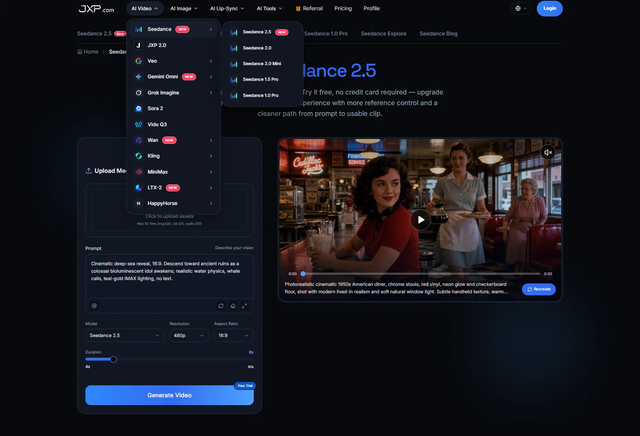
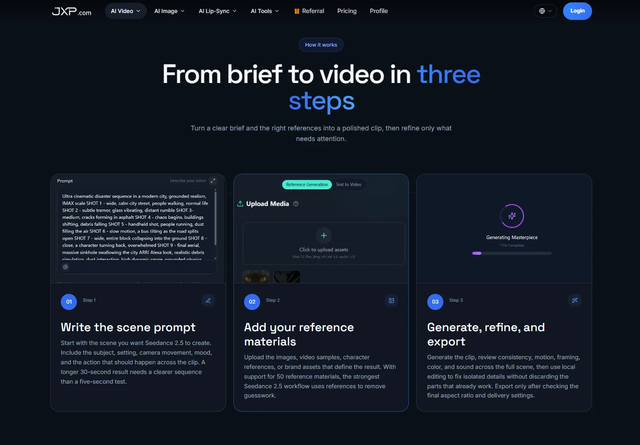
Seedance can fit into this early planning step when podcast teams want a reviewable video concept before editing the final promo. The JXP page offers Reference Generation and Text to Video, with support for prompt-led and reference-guided video creation. Podcast teams should still confirm current output settings, upload rules, and commercial-use terms inside the product before using any draft for paid campaigns or public distribution.
A good promo starts with one editorial decision. Is this clip supposed to sell the episode, explain the guest's authority, tease a story, support a sponsor read, or invite listeners into a community conversation?
Those are different jobs. A guest quote may need a calm studio-style frame. A comedy beat may need a quicker visual rhythm. A business lesson may work better with a simple object, chart shape, or desk scene. A branded content segment may need stricter review because the listener should know where editorial content ends and sponsorship begins.
The visual draft should follow that choice. If the clip is about a founder explaining a mistake, the scene may need space for a short editor-added caption and a quiet tone. If the clip is a music podcast discussing a release, the safer route may be abstract motion, original show art, or licensed promotional assets that are cleared for external AI processing, not imitation of an artist, album cover, or concert footage.
Use References Like Notes, Not DecorationsPodcast teams often have useful materials: show artwork, episode titles, guest-approved materials for the final edit, sponsor guidelines, transcript excerpts, waveform styles, brand colors, and rough social captions. Not all of those belong inside an AI generation brief. Personal identity materials and private production files should stay out of the upload set.
A reference should have a job. One approved graphic might guide the color palette. A transcript excerpt can define the message. A non-identifiable studio illustration can set the environment. A short audio cue may suggest pacing. The prompt should explain what each item is meant to do, rather than asking the model to guess.
Rights and privacy need a separate check. Permission to publish an episode does not automatically mean permission to upload every related file to an external AI service. Podcast teams should avoid private guest notes, unreleased sponsor copy, listener messages, audience data, contract details, music samples, or third-party creative files unless the team has permission for both the intended use and external AI processing, and the uploads comply with the platform's current terms.
For the generation brief, safer planning materials include original show graphics, abstract waveform designs, simple studio layouts, eligible illustrated characters, and sanitized scene notes. Third-party entertainment assets, sponsor files, and guest identity materials should be kept out unless the team has permission for external AI processing and the materials comply with the platform's current terms.
Voice deserves the same caution. Permission to publish an interview does not automatically authorize voice cloning, synthetic speech, or the use of a guest's voice as a generation reference. Any such use should require separate, documented consent.
Do Not Let the Draft Rewrite the EpisodeA generated scene can make an idea feel finished. That is useful for review, but it can also hide mistakes. A clip about a guest's personal story should not gain a dramatic hospital hallway, a police car, a protest crowd, or a luxury office just because the prompt used emotional language. Those details change the meaning of the episode.
The safest visual brief stays close to the episode's verified context. If the host is summarizing a public business trend, use a simple editorial scene. If the guest tells a personal story, keep the visual non-identifying unless specific permissions and publication rules support something more direct. If the clip discusses health, finance, law, politics, or safety, the final caption and surrounding article should make clear what is verified and what is illustrative.
Exact names, sponsor claims, prices, discount codes, episode numbers, dates, medical terms, financial figures, and calls to action should come from approved copy during editing. Generated text inside footage can misspell names or make a fake interface look real. The draft can reserve space for a title card; the final words should be placed and checked by a person.
Make Short Video Serve the ListenerPodcast promotion often fails when it tries to do too much. One short video cannot summarize a full interview, prove a sponsor claim, introduce the host, explain the guest's career, and persuade someone to subscribe. It has room for one promise.
For an interview show, that promise may be a question: “What did the guest learn the hard way?” For a narrative podcast, it may be tension: “Why did this story turn?” For an educational show, it may be usefulness: “What can the listener try after the episode?” The video draft should make that promise visible without flattening the tone of the show.
A restrained review using Seedance on JXP gives the editor a low-stakes way to test pacing, mood, and visual framing before spending time on a polished cut. The draft is most useful when reviewers can say, “That feels like our show,” or “That makes the clip look more dramatic than it really is.”
A podcast depends on the listener relationship. A misleading visual can damage that faster than a weak clip. Reviewers should ask plain questions before a promo goes live.
Does the scene suggest that the guest appeared somewhere they did not? Does it imply a sponsor endorsement that was not actually made? Does it make a listener story identifiable? Does the visual borrow from a known film, game, artist, or entertainment brand? Does a generated waveform, chart, or interface look like real platform data?
Paid sponsorships, affiliate relationships, discount-code arrangements, and other material connections should remain clearly disclosed in the final promo.
Disclosure may also be necessary when a scene is synthetic, reconstructed, or only meant to illustrate the topic. A podcast promo can be creative without pretending to be documentary footage. That distinction is especially important for true crime, personal stories, health discussions, political interviews, finance shows, and sponsor-led content.
A Draft Should Leave the Final Cut EasierThe best outcome is not a draft that tricks the team into publishing too quickly. It is a draft that makes the final cut easier to plan. The editor sees where captions need room. The producer spots a rights issue before upload. The host notices that the visual tone does not match the conversation. The sponsor review, if there is one, happens before the asset is fully built.
That is a practical role for AI video in podcast promotion. It gives audio teams a place to test the visual idea while the transcript, show notes, guest permissions, sponsor language, and platform rules remain separate and editable. The finished promo should still sound like the show, respect the people in it, and send listeners back to the episode for the full story.